马上注册,结交更多好友,享用更多功能,让你轻松玩转小K网。
您需要 登录 才可以下载或查看,没有账号?立即注册

×
因公司销售助理对接客户后,客户提供的ERP系统过多,导致销售助理在网页密码管理上一直都用的excel来实现管理,最近公司销售助理主管找我让编写一个HTML版网页密码管理系统。
为了尽快让销售助理使用上HTML版的网页密码管理系统,我根据个人理念结合deepseek加个人整改后将网页密码管理系统做出来转交给了销售助理使用。
主要功能:
员工门户:
用于销售助理平时点击添加后客户的ERP的网页进入客户的ERP系统,并有对应的ERP登陆用户名,如忘记密码,可点右上角验证显示密码来查看对应ERP系统的用户密码。
管理员后台:
主要用于添加客户的ERP网页和用户名及密码,其中为了防止密码泄露,特管理员后台需要输入密码进入。管理员后台还增加了导入及导出excel功能、员工门户的验证显示的密码修改、管理员后台密码修改。
管理员后台密码默认: admin123,员工查看密码默认: employee2024
支持 Excel (.xls, .xlsx) 导入导出
所有数据持久化存储在浏览器 SQLite 数据库中,刷新页面不会丢失
可点击「备份数据库」下载完整数据库文件
个人理念结合deepseek+个人整改后做的html版网页密码管理系统

个人理念结合deepseek+个人整改后做的html版网页密码管理系统

- <!DOCTYPE html>
- <html lang="zh-CN">
- <head>
- <meta charset="UTF-8">
- <meta name="viewport" content="width=device-width, initial-scale=1.0, user-scalable=yes">
- <title>企业密码管理系统 | SQLite持久化存储</title>
- <!-- SQL.js (WebAssembly 版 SQLite) -->
- <script src="https://cdnjs.cloudflare.com/ajax/libs/sql.js/1.10.3/sql-wasm.js"></script>
- <!-- SheetJS (XLS 导入导出) -->
- <script src="https://cdn.sheetjs.com/xlsx-0.20.2/package/dist/xlsx.full.min.js"></script>
- <!-- CryptoJS 用于 SHA-256 哈希加密 -->
- <script src="https://cdnjs.cloudflare.com/ajax/libs/crypto-js/4.2.0/crypto-js.min.js"></script>
- <style>
- * { margin: 0; padding: 0; box-sizing: border-box; }
- body { font-family: 'Segoe UI', system-ui; background: #f1f5f9; padding: 24px 20px; }
- .app-container { max-width: 1400px; margin: 0 auto; }
- .tab-bar { display: flex; gap: 12px; margin-bottom: 28px; background: white; padding: 8px 20px; border-radius: 60px; width: fit-content; }
- .tab-btn { border: none; background: transparent; padding: 12px 28px; font-size: 1rem; font-weight: 600; border-radius: 40px; cursor: pointer; color: #475569; }
- .tab-btn.active { background: #1e3c72; color: white; }
- .card { background: white; border-radius: 28px; border: 1px solid #e9edf2; overflow: hidden; margin-bottom: 24px; }
- .card-header { padding: 18px 24px; border-bottom: 1px solid #edf2f7; display: flex; justify-content: space-between; align-items: center; flex-wrap: wrap; gap: 12px; }
- .card-header h2 { font-size: 1.4rem; font-weight: 600; }
- .btn { border: none; background: #f1f5f9; padding: 8px 20px; border-radius: 40px; font-weight: 500; cursor: pointer; transition: 0.2s; }
- .btn-primary { background: #1e3c72; color: white; }
- .btn-primary:hover { background: #0f2b4f; }
- .btn-outline { background: white; border: 1px solid #cbd5e1; }
- .btn-success { background: #10b981; color: white; }
- .btn-warning { background: #f59e0b; color: white; }
- .btn-danger { background: #fff0f0; color: #b91c1c; }
- table { width: 100%; border-collapse: collapse; }
- th, td { text-align: left; padding: 14px 16px; border-bottom: 1px solid #ecf3fa; vertical-align: middle; }
- th { background: #fafcff; font-weight: 600; }
- .url-link { color: #2563eb; text-decoration: none; font-weight: 500; }
- .url-link:hover { text-decoration: underline; }
- .password-masked { font-family: monospace; background: #f1f5f9; padding: 4px 12px; border-radius: 30px; display: inline-block; }
- .password-plain { font-family: monospace; background: #eef2ff; padding: 4px 12px; border-radius: 30px; display: inline-block; }
- .input-group { margin-bottom: 16px; display: flex; flex-direction: column; gap: 6px; }
- input { padding: 10px 14px; border-radius: 20px; border: 1px solid #cfdfed; font-family: inherit; }
- input:focus { outline: none; border-color: #1e3c72; }
- .modal { display: none; position: fixed; top:0; left:0; width:100%; height:100%; background: rgba(0,0,0,0.5); align-items: center; justify-content: center; z-index: 1000; }
- .modal-content { background: white; max-width: 500px; width: 90%; border-radius: 32px; padding: 28px; }
- .toast-msg { position: fixed; bottom: 24px; right: 24px; background: #1f2937; color: white; padding: 10px 20px; border-radius: 40px; opacity: 0; transition: 0.2s; z-index: 1100; pointer-events: none; }
- .toast-msg.show { opacity: 1; }
- .empty-row td { text-align: center; padding: 48px; color: #6c757d; }
- .hidden { display: none; }
- .flex-btns { display: flex; gap: 10px; flex-wrap: wrap; align-items: center; }
- .admin-auth-overlay { position: fixed; top:0; left:0; width:100%; height:100%; background: rgba(0,0,0,0.75); backdrop-filter: blur(4px); display: flex; align-items: center; justify-content: center; z-index: 2000; }
- .admin-auth-box { background: white; border-radius: 32px; padding: 32px; width: 90%; max-width: 400px; text-align: center; }
- .admin-auth-box input { width: 100%; margin: 12px 0; }
- .error-text { color: #b91c1c; font-size: 0.8rem; margin-top: 8px; }
- .verify-panel { display: flex; gap: 8px; align-items: center; }
- .file-input-label { background: #f1f5f9; border: 1px solid #cbd5e1; padding: 8px 18px; border-radius: 40px; cursor: pointer; font-size: 0.85rem; }
- input[type="file"] { display: none; }
- .settings-group { background: #f8fafc; border-radius: 20px; padding: 16px 20px; margin: 12px 24px 20px 24px; border: 1px solid #e2e8f0; }
- .settings-group h4 { margin-bottom: 12px; color: #1e293b; }
- .settings-row { display: flex; gap: 12px; align-items: center; flex-wrap: wrap; margin-bottom: 8px; }
- .db-status { font-size: 0.7rem; color: #10b981; margin-left: 12px; }
- .export-db-btn { background: #6b7280; color: white; }
- .export-db-btn:hover { background: #4b5563; }
- </style>
- </head>
- <body>
- <div class="app-container">
- <div class="tab-bar">
- <button class="tab-btn active" data-tab="employee">👥 员工门户 (首页)</button>
- <button class="tab-btn" data-tab="admin">🔐 管理员后台</button>
- </div>
-
- <!-- 员工门户界面 -->
- <div id="employeePanel" class="tab-panel">
- <div class="card">
- <div class="card-header">
- <h2>🌐 员工门户 · 快捷访问</h2>
- <div class="verify-panel">
- <input type="password" id="empViewPwd" placeholder="请输入查看密码" style="width: 180px;" autocomplete="off">
- <button class="btn btn-primary" id="verifyEmpBtn">🔓 验证并显示密码</button>
- </div>
- </div>
- <div style="overflow-x: auto;">
- <table id="employeeTable">
- <thead><tr><th>网址链接 (可点击)</th><th>用户名</th><th>密码</th></thead>
- <tbody id="employeeTableBody">
- <tr class="empty-row"><td colspan="3">🔒 请输入查看密码以显示密码明文</td></tr>
- </tbody>
- </table>
- </div>
- <div style="padding: 12px 20px; border-top:1px solid #edf2f7; font-size:0.75rem; color:#475569;">
- 🔐 员工查看密码默认: <strong>employee2024</strong> — 输入后点击验证,密码列将显示明文。所有数据持久化存储于SQLite数据库,刷新页面数据不丢失。
- </div>
- </div>
- </div>
-
- <!-- 管理员后台界面 -->
- <div id="adminPanel" class="tab-panel hidden">
- <div class="card">
- <div class="card-header">
- <h2>📋 凭证管理 · 后台 (密码明文)</h2>
- <div class="flex-btns">
- <button class="btn btn-primary" id="openAddCredBtn">+ 新增凭证</button>
- <button class="btn btn-success" id="exportExcelBtn">📎 导出为 XLS</button>
- <label class="file-input-label" for="importExcelInput">📂 导入 XLS 文件</label>
- <input type="file" id="importExcelInput" accept=".xls, .xlsx">
- <button class="btn export-db-btn" id="exportDbBtn">💾 备份数据库</button>
- </div>
- </div>
- <div style="overflow-x: auto;">
- <table id="adminTable">
- <thead><tr><th>网站/系统</th><th>用户名</th><th>密码 (明文)</th><th>操作</th></tr></thead>
- <tbody id="adminTableBody"><tr class="empty-row"><td colspan="4">请先验证管理员权限</td></tr></tbody>
- </table>
- </div>
-
- <div class="settings-group">
- <h4>⚙️ 系统安全设置 (数据持久化存储于SQLite)</h4>
- <div class="settings-row">
- <span style="width: 140px;">🔐 员工查看密码:</span>
- <input type="password" id="newEmployeePwd" placeholder="新员工查看密码" style="width: 180px;" autocomplete="off">
- <button class="btn btn-warning" id="updateEmployeePwdBtn">修改员工密码</button>
- <span style="font-size: 0.7rem; color: #64748b;">SHA-256加密存储·修改后立即生效</span>
- </div>
- <div class="settings-row">
- <span style="width: 140px;">🔑 管理员登录密码:</span>
- <input type="password" id="newAdminPwd" placeholder="新管理员密码" style="width: 180px;" autocomplete="off">
- <button class="btn btn-warning" id="updateAdminPwdBtn">修改管理员密码</button>
- <span style="font-size: 0.7rem; color: #64748b;">SHA-256加密存储·修改后立即生效</span>
- </div>
- <div class="settings-row">
- <span style="width: 140px;"></span>
- <span style="font-size: 0.7rem; color: #94a3b8;">⚠️ 修改密码后自动保存到数据库,刷新页面不会丢失!</span>
- </div>
- </div>
-
- <div class="card-header" style="border-top:1px solid #edf2f7;"><h2>📌 说明</h2></div>
- <div style="padding: 16px 24px; color: #334155;">
- • 管理员后台密码默认: <strong>admin123</strong>,员工查看密码默认: <strong>employee2024</strong><br>
- • 支持 Excel (.xls, .xlsx) 导入导出<br>
- • 所有数据持久化存储在浏览器 SQLite 数据库中,刷新页面不会丢失<br>
- • 可点击「备份数据库」下载完整数据库文件
- </div>
- </div>
- </div>
- </div>
-
- <!-- 模态框 -->
- <div id="credModal" class="modal">
- <div class="modal-content">
- <h3 id="modalTitle">➕ 添加凭证</h3>
- <div class="input-group"><label>🔗 网址 (URL)</label><input type="text" id="credUrl" placeholder="https://..."></div>
- <div class="input-group"><label>👤 用户名</label><input type="text" id="credUsername" placeholder="账号"></div>
- <div class="input-group"><label>🔑 密码</label><input type="text" id="credPassword" placeholder="密码"></div>
- <input type="hidden" id="editId" value="">
- <div style="display: flex; gap: 12px; justify-content: flex-end; margin-top: 20px;">
- <button class="btn btn-outline" id="closeModalBtn">取消</button>
- <button class="btn btn-primary" id="saveCredBtn">保存</button>
- </div>
- </div>
- </div>
-
- <div id="toastMsg" class="toast-msg">✔️ 操作成功</div>
-
- <script>
- // ==================== SHA-256 哈希 ====================
- function hashPassword(plain) { return CryptoJS.SHA256(plain).toString(); }
-
- // ==================== 全局变量 ====================
- let db = null;
- let SQL = null;
- let employeePasswordVisible = false;
- let adminAuthenticated = false;
- let adminAuthActive = false;
- let currentEmployeePwdHash = "";
- let currentAdminPwdHash = "";
-
- // localStorage 存储键名
- const DB_STORAGE_KEY = 'password_manager_sqlite_db';
-
- // ==================== 数据库持久化操作 ====================
- // 保存数据库到 localStorage
- function saveDatabaseToLocalStorage() {
- if (!db) return;
- try {
- const exportedData = db.export();
- const buffer = new Uint8Array(exportedData);
- const base64 = btoa(String.fromCharCode.apply(null, buffer));
- localStorage.setItem(DB_STORAGE_KEY, base64);
- console.log("数据库已自动保存到 localStorage");
- } catch(e) {
- console.error("保存数据库失败:", e);
- }
- }
-
- // 从 localStorage 加载数据库
- async function loadDatabaseFromLocalStorage() {
- const saved = localStorage.getItem(DB_STORAGE_KEY);
- if (saved) {
- try {
- const binary = atob(saved);
- const buffer = new Uint8Array(binary.length);
- for (let i = 0; i < binary.length; i++) {
- buffer[i] = binary.charCodeAt(i);
- }
- db = new SQL.Database(buffer);
- console.log("从 localStorage 恢复数据库成功");
- return true;
- } catch(e) {
- console.error("恢复数据库失败:", e);
- return false;
- }
- }
- return false;
- }
-
- // 创建新数据库并初始化表结构
- function createNewDatabase() {
- db = new SQL.Database();
-
- // 创建凭证表
- db.run(`CREATE TABLE IF NOT EXISTS credentials (
- id INTEGER PRIMARY KEY AUTOINCREMENT,
- url TEXT NOT NULL UNIQUE,
- username TEXT NOT NULL,
- password TEXT NOT NULL,
- created_at DATETIME DEFAULT CURRENT_TIMESTAMP
- )`);
-
- // 创建系统配置表
- db.run(`CREATE TABLE IF NOT EXISTS system_config (
- key TEXT PRIMARY KEY,
- value TEXT NOT NULL
- )`);
-
- // 检查凭证表是否有数据
- let credCount = db.exec("SELECT COUNT(*) as cnt FROM credentials");
- if(credCount.length && credCount[0].values.length && credCount[0].values[0][0] === 0) {
- const demo = [
- ['https://mail.company.com', 'zhang.san@company.com', 'Mail@2024Secure'],
- ['https://hrsystem.company.com', 'hr_admin', 'HrP@ss#2024'],
- ['https://gitlab.company.com', 'dev_lihua', 'GitLab!7890'],
- ['https://jira.company.com', 'project_manager', 'Jira@2025']
- ];
- const stmt = db.prepare("INSERT INTO credentials (url, username, password) VALUES (?, ?, ?)");
- for(let row of demo) stmt.run(row);
- stmt.free();
- }
-
- // 初始化员工查看密码哈希
- let empHashRes = db.exec("SELECT value FROM system_config WHERE key = 'employee_view_password_hash'");
- if(!empHashRes.length || !empHashRes[0].values.length) {
- const defaultEmpHash = hashPassword("employee2024");
- db.run("INSERT INTO system_config (key, value) VALUES ('employee_view_password_hash', ?)", [defaultEmpHash]);
- }
-
- // 初始化管理员密码哈希
- let adminHashRes = db.exec("SELECT value FROM system_config WHERE key = 'admin_login_password_hash'");
- if(!adminHashRes.length || !adminHashRes[0].values.length) {
- const defaultAdminHash = hashPassword("admin123");
- db.run("INSERT INTO system_config (key, value) VALUES ('admin_login_password_hash', ?)", [defaultAdminHash]);
- }
-
- saveDatabaseToLocalStorage();
- }
-
- // 初始化数据库(优先从 localStorage 恢复)
- async function initDatabase() {
- return new Promise((resolve, reject) => {
- if (typeof window.initSqlJs !== 'undefined') {
- window.initSqlJs({ locateFile: () => "https://cdnjs.cloudflare.com/ajax/libs/sql.js/1.10.3/sql-wasm.wasm" })
- .then(async function(SQLite) {
- SQL = SQLite;
- const restored = await loadDatabaseFromLocalStorage();
- if (!restored) {
- createNewDatabase();
- }
- // 刷新密码哈希缓存
- refreshPasswordHashes();
- resolve();
- })
- .catch(err => reject(err));
- } else {
- reject("sql.js not loaded");
- }
- });
- }
-
- // 获取配置值
- function getConfigValue(key) {
- if(!db) return null;
- let res = db.exec(`SELECT value FROM system_config WHERE key = '${key}'`);
- if(res.length && res[0].values.length) return res[0].values[0][0];
- return null;
- }
-
- // 设置配置值并自动保存数据库
- function setConfigValue(key, value) {
- if(!db) return false;
- try {
- db.run(`INSERT OR REPLACE INTO system_config (key, value) VALUES (?, ?)`, [key, value]);
- saveDatabaseToLocalStorage(); // 立即保存
- return true;
- } catch(e) { return false; }
- }
-
- // 刷新缓存的密码哈希
- function refreshPasswordHashes() {
- let empHash = getConfigValue('employee_view_password_hash');
- if(empHash) currentEmployeePwdHash = empHash;
- let adminHash = getConfigValue('admin_login_password_hash');
- if(adminHash) currentAdminPwdHash = adminHash;
- }
-
- // 修改员工查看密码
- function updateEmployeePassword(newPlainPwd) {
- if(!newPlainPwd || newPlainPwd.trim().length < 4) {
- showToast("密码长度至少4位", true);
- return false;
- }
- const newHash = hashPassword(newPlainPwd.trim());
- if(setConfigValue('employee_view_password_hash', newHash)) {
- refreshPasswordHashes();
- employeePasswordVisible = false;
- renderEmployeeTable();
- showToast("员工查看密码已修改,员工需重新验证(刷新页面密码依然有效)");
- return true;
- }
- showToast("修改失败", true);
- return false;
- }
-
- // 修改管理员登录密码
- function updateAdminPassword(newPlainPwd) {
- if(!newPlainPwd || newPlainPwd.trim().length < 4) {
- showToast("密码长度至少4位", true);
- return false;
- }
- const newHash = hashPassword(newPlainPwd.trim());
- if(setConfigValue('admin_login_password_hash', newHash)) {
- refreshPasswordHashes();
- showToast("管理员密码已修改,下次登录请使用新密码(刷新页面密码依然有效)");
- return true;
- }
- showToast("修改失败", true);
- return false;
- }
-
- // 验证员工密码
- function verifyEmployeePassword(plainPwd) {
- return hashPassword(plainPwd) === currentEmployeePwdHash;
- }
-
- // 验证管理员密码
- function verifyAdminPassword(plainPwd) {
- return hashPassword(plainPwd) === currentAdminPwdHash;
- }
-
- // ==================== 凭证数据操作 ====================
- function getAllCredentials() {
- if(!db) return [];
- const result = db.exec("SELECT id, url, username, password FROM credentials ORDER BY id DESC");
- if(result.length === 0) return [];
- return result[0].values.map(row => ({
- id: row[0],
- url: row[1],
- username: row[2],
- password: row[3]
- }));
- }
-
- function upsertCredential(id, url, username, password) {
- if(!db) return false;
- try {
- if(id === null) {
- const stmt = db.prepare("INSERT OR REPLACE INTO credentials (url, username, password) VALUES (?, ?, ?)");
- stmt.run([url, username, password]);
- stmt.free();
- } else {
- const stmt = db.prepare("UPDATE credentials SET url = ?, username = ?, password = ? WHERE id = ?");
- stmt.run([url, username, password, id]);
- stmt.free();
- }
- saveDatabaseToLocalStorage();
- return true;
- } catch(e) { console.error(e); return false; }
- }
-
- function deleteCredentialById(id) {
- if(!db) return false;
- try {
- db.run("DELETE FROM credentials WHERE id = ?", [id]);
- saveDatabaseToLocalStorage();
- return true;
- } catch(e) { return false; }
- }
-
- function batchUpsertCredentials(records) {
- if(!db) return 0;
- let successCount = 0;
- const stmt = db.prepare("INSERT OR REPLACE INTO credentials (url, username, password) VALUES (?, ?, ?)");
- for(let rec of records) {
- if(rec.url && rec.username && rec.password) {
- try { stmt.run([rec.url, rec.username, rec.password]); successCount++; } catch(e) {}
- }
- }
- stmt.free();
- saveDatabaseToLocalStorage();
- return successCount;
- }
-
- // 备份数据库
- function exportDatabase() {
- if(!db) { showToast("数据库未就绪", true); return; }
- try {
- const exportedData = db.export();
- const buffer = new Uint8Array(exportedData);
- const blob = new Blob([buffer], {type: "application/x-sqlite3"});
- const url = URL.createObjectURL(blob);
- const a = document.createElement('a');
- a.href = url;
- a.download = `password_manager_backup_${new Date().toISOString().slice(0,19).replace(/:/g, '-')}.db`;
- a.click();
- URL.revokeObjectURL(url);
- showToast("数据库备份成功");
- } catch(e) {
- showToast("备份失败", true);
- }
- }
-
- // ==================== 员工门户渲染 ====================
- function renderEmployeeTable() {
- const tbody = document.getElementById('employeeTableBody');
- const creds = getAllCredentials();
- if(!creds.length) {
- tbody.innerHTML = '<tr class="empty-row"><td colspan="3">暂无凭证数据</td></tr>';
- return;
- }
-
- let html = '';
- creds.forEach(item => {
- let pwdDisplay = employeePasswordVisible ?
- `<span class="password-plain">${escapeHtml(item.password)}</span>` :
- `<span class="password-masked">●●●●●●●●</span>`;
- html += `<tr>
- <td><a href="${escapeHtml(item.url)}" target="_blank" class="url-link">🔗 ${escapeHtml(item.url)}</a></td>
- <td>${escapeHtml(item.username)}</td>
- <td>${pwdDisplay}</td>
- </tr>`;
- });
- tbody.innerHTML = html;
- }
-
- function verifyEmployeeAccess() {
- const inputPwd = document.getElementById('empViewPwd');
- if(verifyEmployeePassword(inputPwd.value)) {
- employeePasswordVisible = true;
- showToast("验证成功!密码列已显示明文");
- renderEmployeeTable();
- } else {
- employeePasswordVisible = false;
- renderEmployeeTable();
- showToast("查看密码错误,密码保持隐藏", true);
- }
- inputPwd.value = '';
- }
-
- // ==================== 管理员后台渲染 ====================
- function renderAdminTable() {
- const tbody = document.getElementById('adminTableBody');
- if(!adminAuthenticated) {
- tbody.innerHTML = '<tr class="empty-row"><td colspan="4">🔒 请先验证管理员权限</td></tr>';
- return;
- }
- const creds = getAllCredentials();
- if(!creds.length) {
- tbody.innerHTML = '<tr class="empty-row"><td colspan="4">暂无凭证,点击"新增凭证"添加</td></tr>';
- return;
- }
- let html = '';
- creds.forEach(item => {
- html += `<tr>
- <td><a href="${escapeHtml(item.url)}" target="_blank" class="url-link">${escapeHtml(item.url)}</a></td>
- <td>${escapeHtml(item.username)}</td>
- <td><span class="password-plain">${escapeHtml(item.password)}</span></td>
- <td class="flex-btns">
- <button class="btn btn-outline edit-admin-btn" data-id="${item.id}">✏️ 编辑</button>
- <button class="btn btn-danger delete-admin-btn" data-id="${item.id}">🗑️ 删除</button>
- </td>
- </tr>`;
- });
- tbody.innerHTML = html;
-
- document.querySelectorAll('.edit-admin-btn').forEach(btn => {
- btn.addEventListener('click', () => openEditById(parseInt(btn.dataset.id)));
- });
- document.querySelectorAll('.delete-admin-btn').forEach(btn => {
- btn.addEventListener('click', () => {
- if(confirm('确定删除该凭证吗?')) {
- deleteCredentialById(parseInt(btn.dataset.id));
- renderAdminTable();
- renderEmployeeTable();
- showToast("已删除");
- }
- });
- });
- }
-
- function openEditById(id) {
- const creds = getAllCredentials();
- const entry = creds.find(c => c.id === id);
- if(entry) openModalForEdit(entry);
- }
-
- // ==================== Excel 导入导出 ====================
- function exportToExcel() {
- if(!adminAuthenticated) { showToast("请先登录管理员后台", true); return; }
- const creds = getAllCredentials();
- if(creds.length === 0) { showToast("没有数据可导出", true); return; }
- const sheetData = [["网址", "用户名", "密码"]];
- creds.forEach(item => sheetData.push([item.url, item.username, item.password]));
- const ws = XLSX.utils.aoa_to_sheet(sheetData);
- const wb = XLSX.utils.book_new();
- XLSX.utils.book_append_sheet(wb, ws, "Credentials");
- XLSX.writeFile(wb, `password_export_${new Date().toISOString().slice(0,19).replace(/:/g, '-')}.xls`, { bookType: 'xls' });
- showToast("导出成功");
- }
-
- function importExcel(file) {
- if(!adminAuthenticated) { showToast("请先登录管理员后台", true); return; }
- const reader = new FileReader();
- reader.onload = function(e) {
- const data = new Uint8Array(e.target.result);
- const workbook = XLSX.read(data, { type: 'array' });
- const sheet = workbook.Sheets[workbook.SheetNames[0]];
- const rows = XLSX.utils.sheet_to_json(sheet, { header: 1, defval: "" });
- if(!rows || rows.length < 2) { showToast("文件无有效数据", true); return; }
- const headers = rows[0];
- let urlIdx = -1, userIdx = -1, pwdIdx = -1;
- headers.forEach((h, idx) => {
- const str = String(h).toLowerCase();
- if(str.includes('网址') || str.includes('url')) urlIdx = idx;
- if(str.includes('用户名') || str.includes('账号') || str.includes('username')) userIdx = idx;
- if(str.includes('密码') || str.includes('password')) pwdIdx = idx;
- });
- if(urlIdx === -1 || userIdx === -1 || pwdIdx === -1) {
- showToast("文件缺少必要列(网址/用户名/密码)", true);
- return;
- }
- const records = [];
- for(let i=1; i<rows.length; i++) {
- const row = rows[i];
- if(row && row.length > Math.max(urlIdx, userIdx, pwdIdx)) {
- const url = row[urlIdx] ? String(row[urlIdx]).trim() : '';
- const username = row[userIdx] ? String(row[userIdx]).trim() : '';
- const password = row[pwdIdx] ? String(row[pwdIdx]).trim() : '';
- if(url && username && password && (url.startsWith('http://') || url.startsWith('https://'))) {
- records.push({ url, username, password });
- }
- }
- }
- if(records.length === 0) { showToast("未找到有效数据行", true); return; }
- const successCount = batchUpsertCredentials(records);
- renderAdminTable();
- renderEmployeeTable();
- showToast(`导入完成!成功更新/添加 ${successCount} 条记录`);
- };
- reader.readAsArrayBuffer(file);
- }
-
- // ==================== 管理员登录弹窗 ====================
- function showAdminAuthModal() {
- if(adminAuthenticated) return;
- if(adminAuthActive) return;
- adminAuthActive = true;
- const overlay = document.createElement('div');
- overlay.className = 'admin-auth-overlay';
- overlay.innerHTML = `<div class="admin-auth-box">
- <h3>🔐 管理员身份验证</h3>
- <input type="password" id="adminAuthPwd" placeholder="管理员密码" autocomplete="off">
- <div id="adminAuthError" class="error-text"></div>
- <div style="display:flex; gap:12px; margin-top:20px;">
- <button class="btn btn-outline" id="adminAuthCancelBtn">取消</button>
- <button class="btn btn-primary" id="adminAuthConfirmBtn">确认</button>
- </div>
- </div>`;
- document.body.appendChild(overlay);
- const pwdInput = document.getElementById('adminAuthPwd');
- pwdInput.focus();
-
- const doAuth = () => {
- if(verifyAdminPassword(pwdInput.value)) {
- adminAuthenticated = true;
- document.body.removeChild(overlay);
- adminAuthActive = false;
- showToast("管理员验证成功");
- renderAdminTable();
- } else {
- document.getElementById('adminAuthError').innerText = "密码错误,无权访问后台";
- pwdInput.value = '';
- pwdInput.focus();
- }
- };
-
- const closeModal = () => {
- if(document.getElementById('adminAuthOverlay')) document.body.removeChild(overlay);
- adminAuthActive = false;
- if(!adminAuthenticated) {
- const activeTab = document.querySelector('.tab-btn.active');
- if(activeTab && activeTab.getAttribute('data-tab') === 'admin') {
- document.querySelectorAll('.tab-btn').forEach(btn => btn.classList.remove('active'));
- document.querySelector('.tab-btn[data-tab="employee"]').classList.add('active');
- switchTab('employee');
- showToast("未通过验证,已返回员工门户", true);
- }
- }
- };
-
- document.getElementById('adminAuthConfirmBtn').addEventListener('click', doAuth);
- document.getElementById('adminAuthCancelBtn').addEventListener('click', closeModal);
- pwdInput.addEventListener('keypress', (e) => { if(e.key === 'Enter') doAuth(); });
- }
-
- // ==================== 标签页切换 ====================
- function switchTab(tabId) {
- const adminDiv = document.getElementById('adminPanel');
- const empDiv = document.getElementById('employeePanel');
-
- if(tabId === 'employee') {
- adminDiv.classList.add('hidden');
- empDiv.classList.remove('hidden');
- renderEmployeeTable();
- document.querySelectorAll('.tab-btn').forEach(btn => btn.classList.remove('active'));
- document.querySelector('.tab-btn[data-tab="employee"]').classList.add('active');
- } else if(tabId === 'admin') {
- if(!adminAuthenticated) {
- showAdminAuthModal();
- const checkInterval = setInterval(() => {
- if(adminAuthenticated) {
- clearInterval(checkInterval);
- adminDiv.classList.remove('hidden');
- empDiv.classList.add('hidden');
- renderAdminTable();
- document.querySelectorAll('.tab-btn').forEach(btn => btn.classList.remove('active'));
- document.querySelector('.tab-btn[data-tab="admin"]').classList.add('active');
- }
- }, 200);
- setTimeout(() => clearInterval(checkInterval), 10000);
- return;
- } else {
- adminDiv.classList.remove('hidden');
- empDiv.classList.add('hidden');
- renderAdminTable();
- document.querySelectorAll('.tab-btn').forEach(btn => btn.classList.remove('active'));
- document.querySelector('.tab-btn[data-tab="admin"]').classList.add('active');
- }
- }
- }
-
- // ==================== 模态框 ====================
- const modal = document.getElementById('credModal');
- const urlInput = document.getElementById('credUrl');
- const userInput = document.getElementById('credUsername');
- const pwdInputField = document.getElementById('credPassword');
- const editIdField = document.getElementById('editId');
- const modalTitle = document.getElementById('modalTitle');
-
- function openModalForAdd() {
- if(!adminAuthenticated) { showToast("请先登录管理员后台", true); return; }
- modalTitle.innerText = '➕ 新增凭证';
- urlInput.value = '';
- userInput.value = '';
- pwdInputField.value = '';
- editIdField.value = '';
- modal.style.display = 'flex';
- }
-
- function openModalForEdit(entry) {
- modalTitle.innerText = '✏️ 编辑凭证';
- urlInput.value = entry.url;
- userInput.value = entry.username;
- pwdInputField.value = entry.password;
- editIdField.value = entry.id;
- modal.style.display = 'flex';
- }
-
- function closeModal() { modal.style.display = 'none'; }
-
- function saveCredentialHandler() {
- if(!adminAuthenticated) { showToast("未授权", true); return; }
- const url = urlInput.value.trim();
- const username = userInput.value.trim();
- const password = pwdInputField.value.trim();
- if(!url || !username || !password) { showToast("请填写完整信息", true); return; }
- if(!url.startsWith('http://') && !url.startsWith('https://')) { showToast("网址需以 http:// 或 https:// 开头", true); return; }
- const editId = editIdField.value;
- const success = upsertCredential(editId ? parseInt(editId) : null, url, username, password);
- if(success) {
- showToast(editId ? "修改成功" : "添加成功");
- closeModal();
- renderAdminTable();
- renderEmployeeTable();
- } else {
- showToast("操作失败", true);
- }
- }
-
- // ==================== 辅助函数 ====================
- function showToast(msg, isError = false) {
- const toast = document.getElementById('toastMsg');
- toast.textContent = msg;
- toast.style.backgroundColor = isError ? '#b91c1c' : '#1f2937';
- toast.classList.add('show');
- setTimeout(() => toast.classList.remove('show'), 2200);
- }
-
- function escapeHtml(str) {
- if(!str) return '';
- return str.replace(/[&<>]/g, m => ({ '&':'&', '<':'<', '>':'>' }[m]));
- }
-
- // ==================== 事件绑定 ====================
- document.getElementById('openAddCredBtn')?.addEventListener('click', openModalForAdd);
- document.getElementById('closeModalBtn')?.addEventListener('click', closeModal);
- document.getElementById('saveCredBtn')?.addEventListener('click', saveCredentialHandler);
- document.getElementById('verifyEmpBtn')?.addEventListener('click', verifyEmployeeAccess);
- document.getElementById('empViewPwd')?.addEventListener('keypress', (e) => { if(e.key === 'Enter') verifyEmployeeAccess(); });
- document.getElementById('exportExcelBtn')?.addEventListener('click', exportToExcel);
- document.getElementById('exportDbBtn')?.addEventListener('click', exportDatabase);
- document.getElementById('importExcelInput')?.addEventListener('change', (e) => { if(e.target.files.length) importExcel(e.target.files[0]); e.target.value = ''; });
-
- // 修改密码按钮事件
- document.getElementById('updateEmployeePwdBtn')?.addEventListener('click', () => {
- const inp = document.getElementById('newEmployeePwd');
- const newPwd = inp.value;
- if(updateEmployeePassword(newPwd)) inp.value = '';
- });
- document.getElementById('updateAdminPwdBtn')?.addEventListener('click', () => {
- const inp = document.getElementById('newAdminPwd');
- const newPwd = inp.value;
- if(updateAdminPassword(newPwd)) inp.value = '';
- });
-
- document.querySelectorAll('.tab-btn').forEach(btn => btn.addEventListener('click', () => switchTab(btn.getAttribute('data-tab'))));
- window.onclick = (e) => { if(e.target === modal) closeModal(); };
-
- // ==================== 启动应用 ====================
- async function bootstrap() {
- try {
- await initDatabase();
- employeePasswordVisible = false;
- adminAuthenticated = false;
- renderEmployeeTable();
- renderAdminTable();
- switchTab('employee');
- console.log("SQLite数据库已初始化,数据持久化存储于localStorage,刷新页面不丢失");
- } catch(err) {
- console.error(err);
- showToast("初始化失败,请刷新页面重试", true);
- }
- }
- bootstrap();
- </script>
- </body>
- </html>
|
 合同管理系统离线版V1.0,基于本地Excel2832 人气#精品软件
 2026新版AI绘画系统课程电商案例comfyui基12488 人气#自学教程
 374款竖屏开车视角车窗外夜景风景视频素材929 人气#值得一看
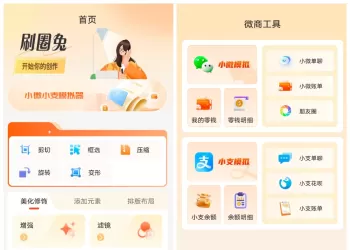 刷圈兔v10.0.0 wx聊天模拟生器APP886 人气#精品软件

 提升卡
 置顶卡
 沉默卡
 喧嚣卡
 变色卡
 千斤顶
 照妖镜



 微信公众号
 官方抖音号