马上注册,结交更多好友,享用更多功能,让你轻松玩转小K网。
您需要 登录 才可以下载或查看,没有账号?立即注册

×
昨天打完LOL后 跟队友进行了一番国粹聊天,可能对方没尽兴,还加我好友要继续和我沟通
可能是个人魅力吧,想要找我再续前缘
但是我哪那么多时间跟他干劈情操
于是 顺手ai生成了一键喊话
然后放在那 我吃饭去了,截图就不放了,审核过不去,放一个拿我朋友测试的吧
在这个代码同级目录新建个messages.txt]文件 里面一行一行写好你要发送的话就行了
利用ai写的LOL聊天一键喊话
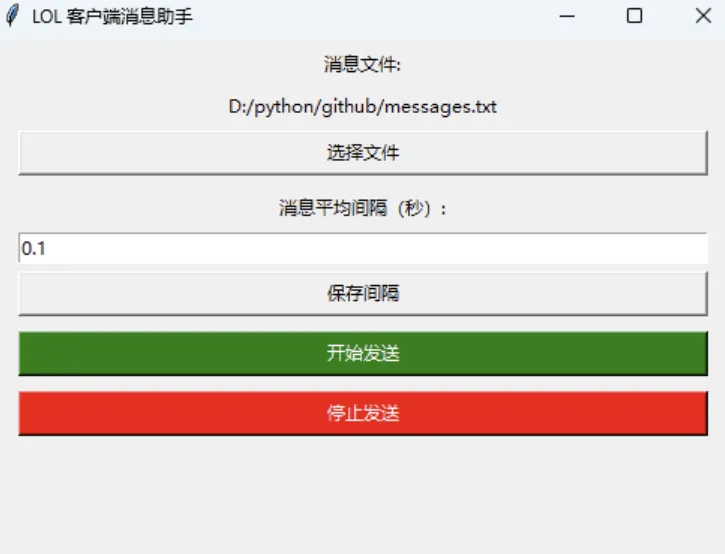
利用ai写的LOL聊天一键喊话
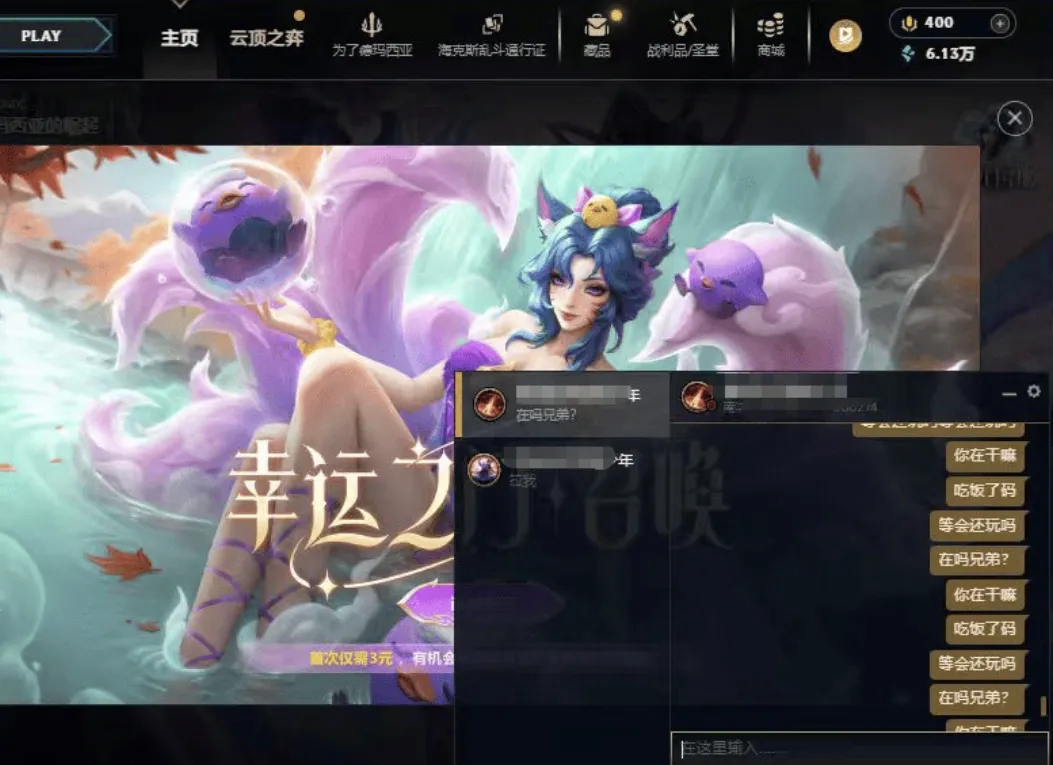
Python代码:
- import pyautogui, pyperclip, pygetwindow as gw, time, random, json, threading, tkinter as tk
- from tkinter import filedialog, messagebox
-
- CONFIG_FILE = "config.json"
- config = {"txt_file":"messages.txt","avg_delay":0.1}
- RUNNING = False
- messages = []
-
- def save_config():
- with open(CONFIG_FILE,"w",encoding="utf-8") as f: json.dump(config,f,indent=4)
-
- def load_config():
- global config
- try:
- with open(CONFIG_FILE,"r",encoding="utf-8") as f: config=json.load(f)
- except: save_config()
-
- def load_messages():
- global messages
- try:
- with open(config["txt_file"],"r",encoding="utf-8") as f:
- messages=[line.strip() for line in f if line.strip()]
- if not messages: messagebox.showwarning("警告","消息文件为空!")
- except Exception as e: messagebox.showerror("错误",f"读取文件失败: {e}")
-
- def focus_lol_client():
- windows = gw.getWindowsWithTitle("League of Legends")
- if windows: windows[0].activate(); time.sleep(0.15); return True
- else: print("没找到LOL客户端窗口"); return False
-
- def smart_delay():
- avg=config.get("avg_delay",0.1)
- while True:
- t=random.expovariate(1/avg)
- if t<=1.3: return t
-
- def send_message(msg):
- pyperclip.copy(msg)
- time.sleep(0.01)
- pyautogui.hotkey('ctrl','v')
- time.sleep(0.01)
- pyautogui.press('enter')
- time.sleep(0.02)
-
- def start_loop_thread():
- global RUNNING
- RUNNING=True
- if not messages: load_messages()
- if not messages: return
- i=0
- while RUNNING:
- if focus_lol_client():
- send_message(messages[i])
- print("发送:",messages[i])
- i=(i+1)%len(messages)
- time.sleep(smart_delay())
- print("已停止发送")
-
- def start_loop(): threading.Thread(target=start_loop_thread,daemon=True).start()
- def stop_loop(): global RUNNING; RUNNING=False
-
- def choose_file():
- file_path=filedialog.askopenfilename(filetypes=[("Text files","*.txt")])
- if file_path: config["txt_file"]=file_path; save_config(); load_messages(); file_label.config(text=file_path)
-
- def update_delay(): config["avg_delay"]=delay_var.get(); save_config()
-
- # ===== GUI =====
- load_config()
- load_messages()
- root=tk.Tk()
- root.title("LOL 客户端消息助手")
- root.geometry("500x400") # 窗口高度加大,保证按钮可见
-
- tk.Label(root,text="消息文件:").pack(pady=5)
- file_label=tk.Label(root,text=config["txt_file"])
- file_label.pack(fill='x', padx=20)
- tk.Button(root,text="选择文件",command=choose_file).pack(fill='x', padx=20, pady=5)
-
- tk.Label(root,text="消息平均间隔(秒):").pack(pady=5)
- delay_var=tk.DoubleVar(value=config.get("avg_delay",0.1))
- tk.Entry(root,textvariable=delay_var).pack(fill='x', padx=20)
- tk.Button(root,text="保存间隔",command=update_delay).pack(fill='x', padx=20, pady=5)
-
- start_button=tk.Button(root,text="开始发送",command=start_loop,bg="green",fg="white")
- start_button.pack(fill='x', padx=20, pady=5)
-
- stop_button=tk.Button(root,text="停止发送",command=stop_loop,bg="red",fg="white")
- stop_button.pack(fill='x', padx=20, pady=5)
-
- root.mainloop()
|

 台北仲夏夜之梦2612 人气#端游pj
 仅1.4M准3A的html枪战游戏Saltline源码2314 人气#其它源码
 你好!我们还有场恋爱没谈-番外篇2309 人气#福利经验
 Umagic无限制Ai换脸-Ai生图-替换性感衣服4948 人气#安卓专区

 提升卡
 置顶卡
 沉默卡
 喧嚣卡
 变色卡
 千斤顶
 照妖镜



 微信公众号
 官方抖音号